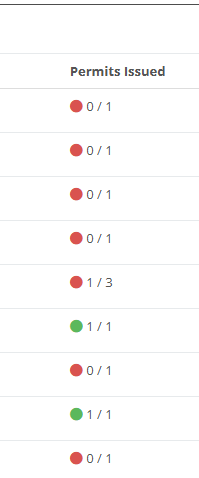
Additional Column Added to the Project Dashboard

You now have the ability to clearly see how many permits selected on a project have been issued. This information now appears directly in your Project Search overview, giving you an at-a-glance view of issued permits. Once all associated permits have been issued, the indicator will turn green.
This enhancement was inspired by how some users were adapting the system to fill a visibility gap. Because the Project Search and the Passes & Permits Search didn’t previously provide a clear indication of whether a project had permits raised against it, users created their own workaround:
They used the “Review Company” function on a project as an indicator that a permit had been raised.
They then relied on the ticks/crosses in Project Search to identify whether a project had associated permits.
This also led to requests to limit access to the Review button so the workaround could be used consistently.
What this highlighted was a broader need: a clear, built-in way to identify whether a project has permits at a glance. For many organisations, permits are central to their use of the system, so having to click through multiple pages to check for raised permits is understandably inefficient.
Instead of adjusting permissions to support a workaround, it makes more sense to deliver proper visibility that benefits all clients using permits.